Audio at the Crosswalk: Set Up an Audiobook Session You Can Pause
Set up a pausable audiobook session that is easier to resume between errands, with controls, downloads and device choices matched to your routine.
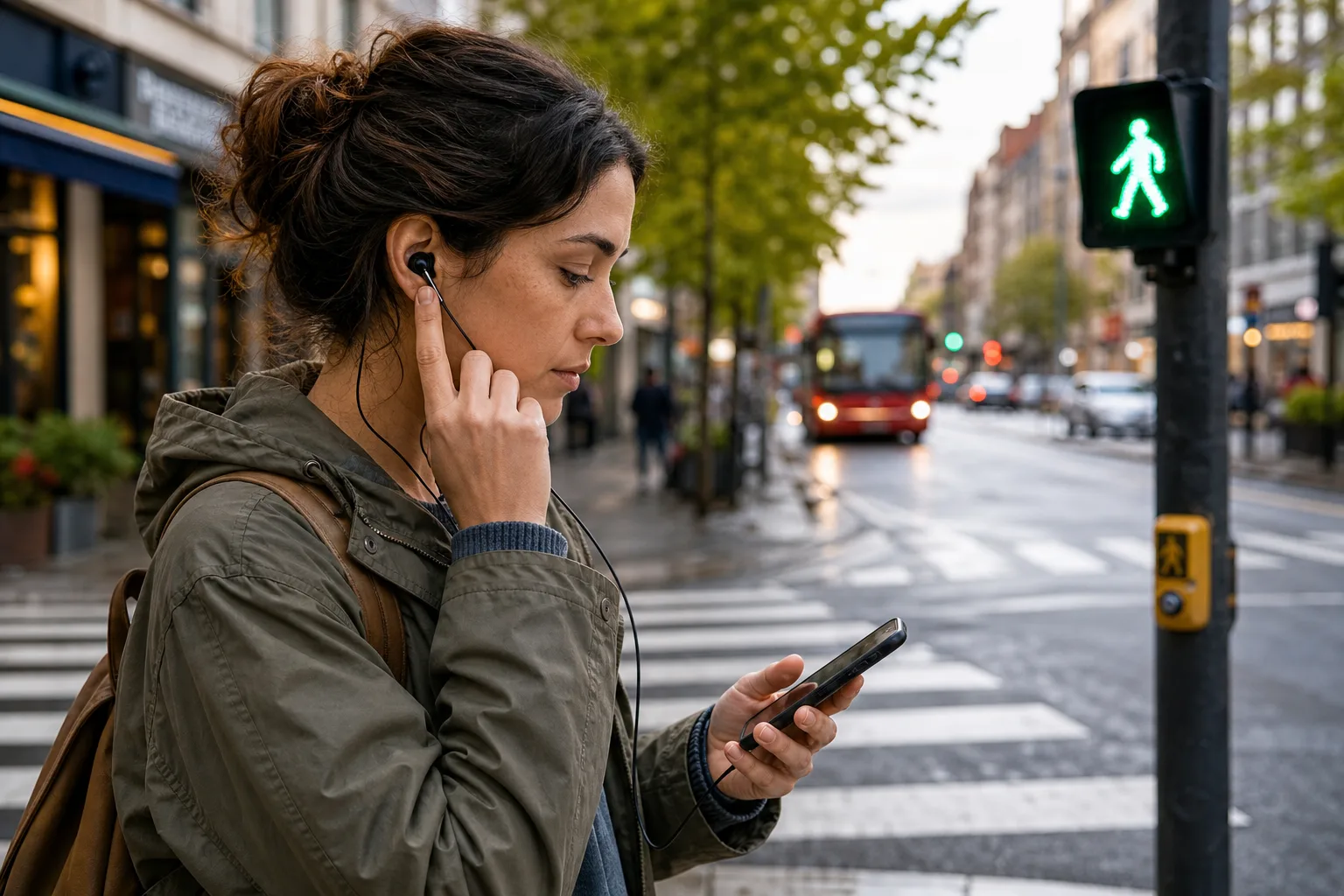
Your audiobook is at the moment the detective reaches for the cellar door when the pedestrian signal changes. A pausable audiobook session lets you stop without fumbling for the right screen, then return to the story without assuming the app has saved your place exactly as expected.
The useful setup depends on your interruptions, device and listening environment. A phone app, a dedicated player and headphones can each work; the sensible choice is the one whose controls and resume behaviour you have checked on your own equipment.
What makes a pausable audiobook session easy to resume?
A useful stopping point is one you can recognise when you return. A chapter boundary is obvious but may be a long way off; a saved position, bookmark or remembered line can help you locate the scene again.
Playback position, headphone controls, offline access and syncing vary by app, service, device and settings. Before relying on any of them, check the relevant option in your own setup and try it while stationary. A rehearsal can reveal a problem, but it cannot establish that every later interruption or device switch will behave identically.
Before leaving, check the title, output device, battery and any active sleep timer. The alternative is discovering that the headphones are connected to a laptop at home while the phone narrates into your coat pocket.
Which listening setup suits your routine?
Can your audiobook app handle short, changing sessions?
Your existing app may be the simplest option if its controls are accessible and its resume behaviour suits you. Check whether it offers playback controls from the lock screen or headphones, and verify how it handles a call, app switch or closure on your device.
A phone app can suit someone already carrying a phone or using library and subscription services. It may be less convenient if notifications interrupt often, battery is a concern or the app makes it difficult to find the current title and position.
Would a dedicated player or e-reader simplify listening?
A separate player, or an e-reader with audio support, can keep messages and navigation apart from the book. Before choosing one, confirm that it supports the audiobook source you use and offers controls you can operate without searching through menus.
The trade-off is another device to carry and charge. It makes sense when separation is useful enough to justify that extra small responsibility.
Are wired or wireless headphones a better fit?
Wired headphones avoid Bluetooth pairing; wireless models may provide a physical button or touch control. Either can be convenient, but control behaviour differs between models and devices, so check what a press or hold actually does before setting out.
Choose controls you can operate confidently. If a control also skips chapters or calls up a voice assistant, learn the distinction while stationary rather than at a crossing.
Should playback continue through a brief interruption?
Pause whenever the surroundings or task need your attention. A short interruption in a safe place may not require more than a quick stop, while a route decision, crossing or conversation is a good reason to give the book the whole pause.
Headphones and screens should not obscure traffic, crossing signals or nearby hazards. Let the situation decide whether the story continues, not a desire to finish the chapter.
How should you set playback controls for walks and errands?
Choose one default way to pause: a headphone control, lock-screen button or player control. Try it while stationary and note the observable result: does playback stop, skip or trigger something else? If the action is unclear, use a different control or consult the device instructions before relying on it outside.
Set a playback speed you can follow without straining. A familiar narrator may remain clear at a brisker pace, while dense prose or an unfamiliar accent may be easier more slowly. Keep the setting stable during a walk if changing it would distract you.
Check whether a sleep timer is active and whether the app has a setting that changes playback after a headphone action. Clear or adjust a timer if it would interrupt the session; leave it in place if it suits the listening situation.
- Pause control: Check whether your chosen button or screen control stops playback as intended. If it does, use it as your default; if it skips or opens another function, choose a different control and verify that instead.
- Audio output: Check whether sound reaches the intended headphones. If it does, continue; if it comes from a speaker or the wrong device, reconnect or select the intended output before leaving.
- Sleep timer: Check whether a timer is active and likely to stop playback during the outing. If it is, clear or reset it; if not, leave the setting alone.
- Volume and awareness: Check whether you can hear the book while remaining aware of your surroundings. If you cannot, lower the volume or remove a headphone; if you can, keep that setting rather than raising it to mask noise.
- Resume position: Check what happens after a brief pause or app switch in your own setup. If it returns to the expected passage, use that method with the understanding that later behaviour may vary; if not, try a bookmark or another way to note the scene.
- Battery and access: Check that the device has enough charge for the planned listening and that the title opens. If either is uncertain, charge the device or choose another available listening plan; if both are in order, proceed without extra equipment.
Keep the phone somewhere reachable, but do not handle it while crossing. A predictable control is more useful than a screen full of options.
How can you make interruptions less costly?
If reception may be unreliable, check whether your audiobook service allows downloads and whether the title is available offline. Downloading and offline playback are service- and settings-dependent; verify that the title opens without a connection before relying on it.
Keeping one current title in view can make it easier to resume than choosing among several half-started books. If you change titles, a short note such as “after the station announcement” may help you recognise the scene later. A bookmark, where supported, can mark a passage separately from the app’s saved playback position.
Say you have a mystery queued for a walk to collect a parcel, and you expect to wait in a shop. You check that the title opens, then—while still at home—press the headphone control and observe that playback stops; you resume and confirm the scene is still easy to identify. At the shop entrance, you pause before going inside and note the last line in a phone note; on leaving, you open the title and compare its position with that note. If the app has moved, you use the note to return to the passage; if it has not, you continue from the displayed position. This checks your setup in that situation, not every future interruption.
Which setup fits common listening habits?
If your walks are short and you already carry a phone, start with its audiobook app and a control you have checked. If alerts are the main nuisance, consider a quieter notification setting while keeping any alerts you need; if that does not suit your needs, a separate player may offer useful separation.
If you listen in several places, check whether your app or service offers position syncing across your devices and whether your particular titles are included. Try switching devices while stationary and inspect the displayed position on each. If it agrees, syncing may be convenient for that setup; if it does not, use one device for the title or keep a bookmark, and avoid assuming that a successful check predicts every later switch.
If you need navigation, keep it available and use audio controls that do not require looking down. Pause the book when directions or movement need your attention.
What questions should you check before relying on the setup?
Will the app remember my place after I close it?
That depends on the app, service, device and settings. Close or switch away from it while stationary, reopen the title, and check the displayed position before relying on the behaviour outside.
Can I listen offline?
Offline listening depends on whether the service permits downloads, the title is available and the download is complete. Open the title without a connection in a safe setting to check your own arrangement.
Will my position sync between devices?
Some services and setups offer syncing, but what they sync can vary. Check the displayed position on each device after a stationary trial, and keep a backup note or use one device if the results differ.
Can I pause without looking at my phone?
That depends on the controls available on your headphones or player and how they are configured. Try the control while stationary; if you cannot tell whether it paused or changed something else, choose a clearer control before using it outdoors.
How do you choose a setup for your routine?
Start with the interruption you meet most often. If it is a brief stop, look for a clear pause control and a position you can identify again; if it is unreliable reception, check offline availability; if it is phone alerts, adjust notifications or consider a separate player.
Then consider what you are willing to carry and maintain. A phone is already useful but may demand attention; a dedicated player can separate listening from messages but adds charging and compatibility checks.
For a pausable audiobook session, choose the least complicated arrangement that works in the situations you have checked. Keep a note or bookmark available when position matters, and let the story wait whenever the street needs your attention.
Keep reading

The Commuter Read: Choosing a Book That Survives a Stop-Start Journey
Choose a commuter read by matching chapter length, narrative density and interruption tolerance to your route,…

Twenty Minutes Before Bed: Make a Reading Slot Feel Complete
A twenty-minute reading slot before bed can feel complete without a strict routine: choose a natural…